


You can implement the ISceneMetadata interface in any Component that has data you'd like saved to Metadata. Metadata is data that can be accessed without needing to load a Scene or clone a Prefab
(accessed via either the SceneFile or PrefabFile)
Component Example
public class MySceneInfo : Component, ISceneMetadata
{
	[Property] public string Title { get; set; }
    [Property] public string Group { get; set; }
    [Property, TextArea] public string Description { get; set; }
    [Property] public int Difficulty { get; set; } = 1;

	public Dictionary<string, string> GetMetadata()
	{
        // Any data that can be serialized to a string can be stored here
		return new Dictionary<string, string>
        {
          { "Title", Title },
          { "Group", Group },
          { "Description", Description },
          { "Difficulty", Difficulty.ToString() }
        };
	}
}
This Component has Title, Group, and Description properties which are included in the returned Dictionary.
If you now save the Scene or Prefab containing this Component, it will serialize this information to the file.
Reading Scene Metadata
Now we can call GetMetadata(key, fallback) on any SceneFile, so let's create a simple UI that lists out all our Scenes by Title and Group, showing the Description on hover:
@foreach( var group in ResourceLibrary.GetAll<SceneFile>().GroupBy( x => x.GetMetadata( "Group", "None" ) ) )
{
    <div class="group">
        <h1>@group.Key</h1>
        <div class="scenes">
            @foreach( var scene in group )
            {
                <div Tooltip=@( scene.GetMetadata("Description") )>@( scene.GetMetadata( "Title" ) )</div>
            }
        </div>
    </div>
}
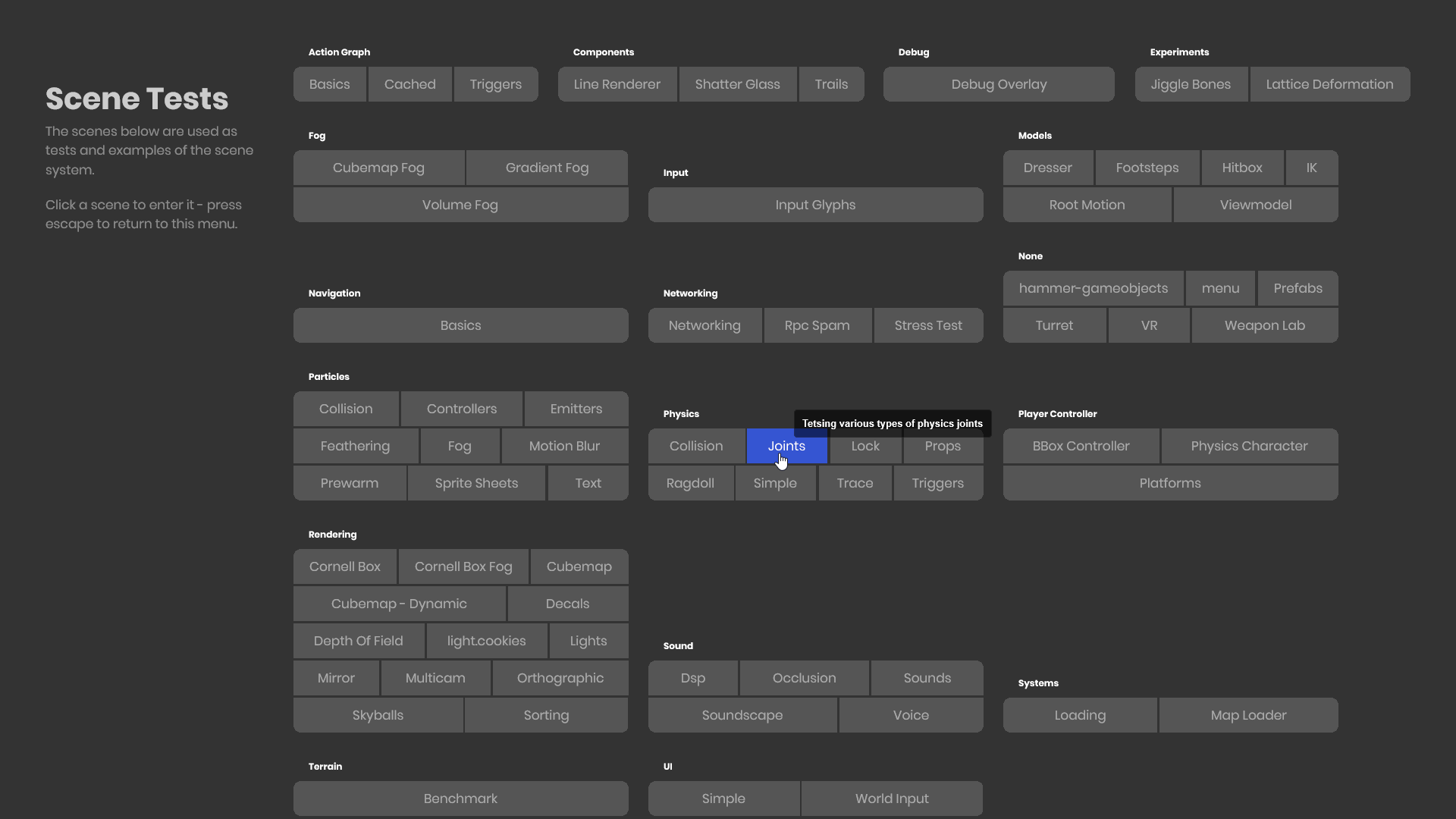
Reading Prefab Metadata
This is done identically to SceneFiles. If we had an "EnemyInfo" ISceneMetadata Component with Difficulty and SpawnWeight values, we could also spawn any PrefabFile in the current difficulty based on its weight (higher weight has a higher chance of spawning)
void SpawnEnemy( Vector3 position, int difficulty )
{
    var allEnemies = ResourceLibrary.GetAll<PrefabFile>().Where( x => int.Parse( x.GetMetadata( "Difficulty", "0" ) ) <= difficulty );
    float totalChance = allEnemies.Sum( x => float.Parse( x.GetMetadata( "SpawnWeight", "0" ) ) );
    float randomChance = Random.Shared.Float( 0, totalChance );
    float runningChance = 0f;
    foreach( var enemy in allEnemies )
    {
        runningChance += float.Parse( enemy.GetMetadata( "SpawnWeight", "0" ) );
        if( randomChance <= runningChance )
        {
            var prefab = SceneUtility.GetPrefabScene( enemy );
            prefab.Clone( position );
            break;
        }
    }
}