s&box
RustCounter-Strike 2s&boxDeadlock
Wiki
Get s&box on Steam
Browse
OverviewGetting StartedCreating GamesEngine & ToolsDocumentationCommunity GamesResources
s&boxDocumentationActiongraphVariables
SOURCE 2 · C#
Build and play games with s&box.

Facepunch's game engine and creation platform — make games in C#, or jump straight into community games.

Get s&box on Steam

s&box Wiki

  • Overview
  • Getting Started
  • Creating Games
  • Engine & Tools
  • Documentation
  • Community Games
  • Resources

Tools & Community

  • Getting Started
  • Creating Games
  • Engine & Tools
  • Resources

Platforms

  • RustBattle
  • CSBattle
  • Rust Game Wiki
  • CS2 Skins Wiki
  • Deadlock Wiki

About

  • Official Site
  • Developer Wiki
  • GitHub
  • Get on Steam
NOT AFFILIATED WITH FACEPUNCH STUDIOS · © 2026 s&box Wiki (community)
Docs/ActionGraph
ActionGraph

Variables

Variables are useful for making your graph easier to understand, cleaning up link spaghetti, and when performing calculations in loops.
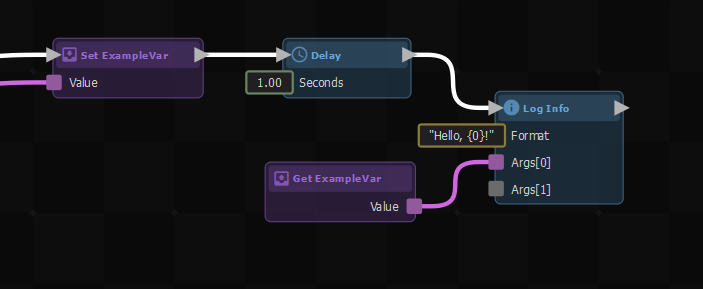
A simple example setting and getting an example variable

You can create a new variable by dragging a link from an output with the value type you want the variable to hold, selecting "Add Variable", then giving it a name.
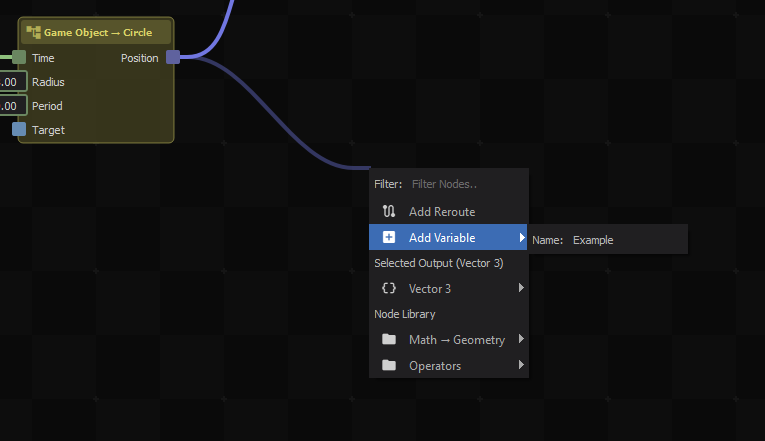
Creating a new Vector3 variable named "Example".

This will create an action node that sets the new variable upon receiving an input signal. You can then create more nodes to get or set the value of the variable by right-clicking, then looking under Variables.
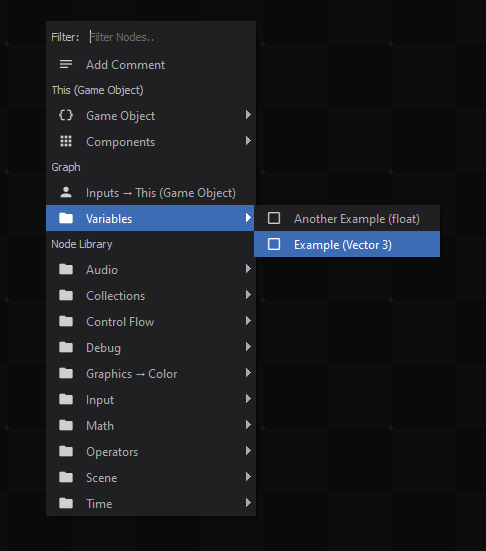
Creating a node to get or set the "Example" variable.

You can also directly use a variable in an input socket by right-clicking on it, then selecting the variable from the context menu.
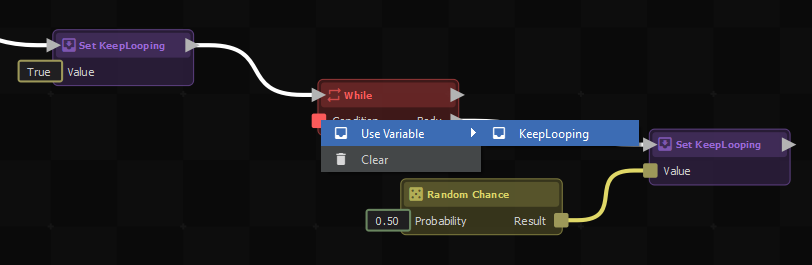
Directly using a variable in an input socket.

Source: Facepunch/sbox-docs (CC-BY-4.0) · updated 2024-04-29. Read it rendered on the official docs.

More in ActionGraph

Action Resources
ActionGraph
C# Method Nodes
Component Actions
Custom Nodes
Examples
Getting Started
Using With C#
← All documentation

Community wiki — not affiliated with Facepunch Studios. For the latest and most authoritative information, see the official developer wiki.