


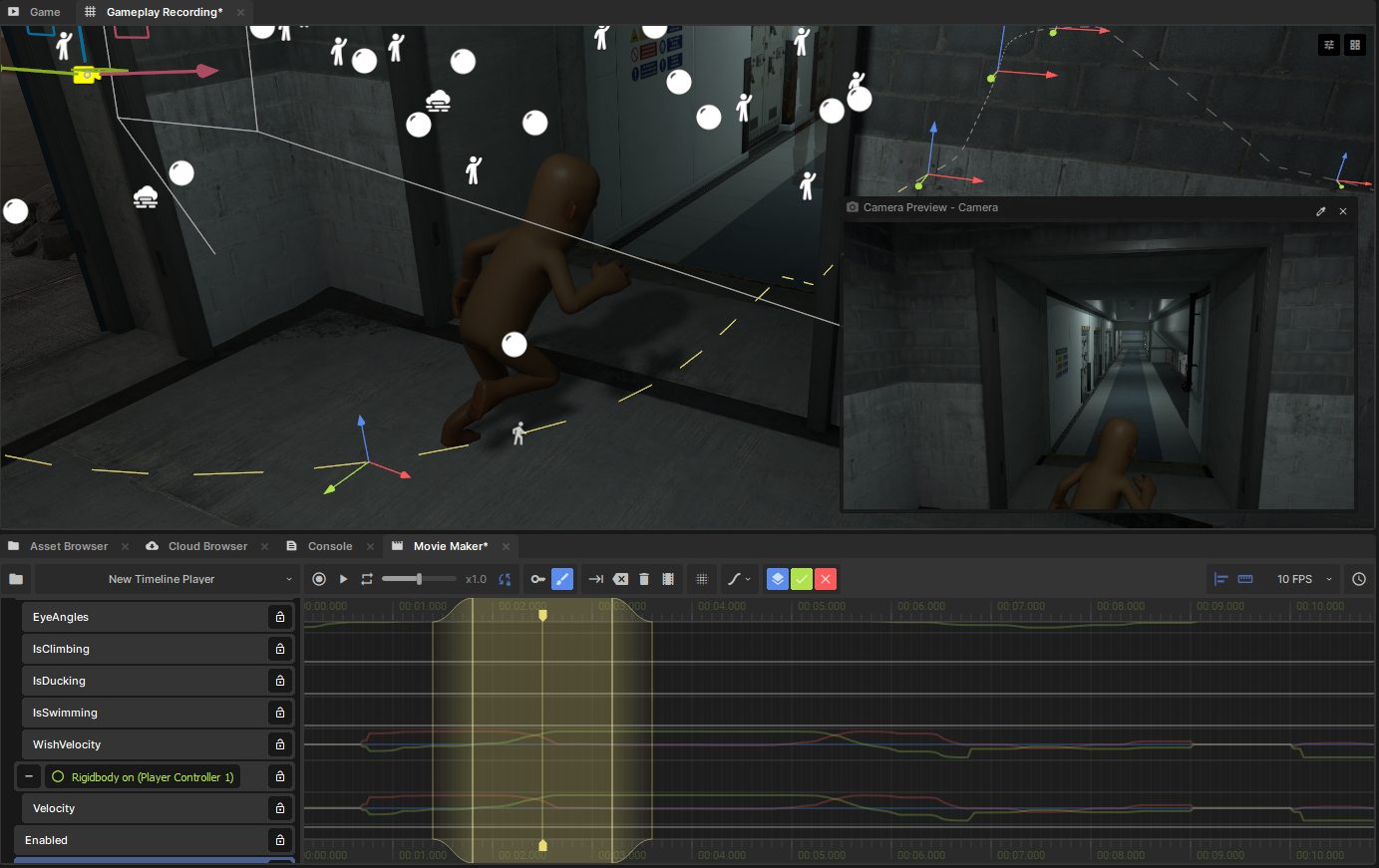
Movie Maker is a timeline-based editor built into S&box for animating anything in your scene. Keyframe object properties, record gameplay, animate characters with bones and IK, and export finished videos, all without leaving the editor.
What Can You Make?
- Cutscenes - choreograph cameras, characters, and events on a timeline
- Trailers & Videos - compose shots and export directly to video
- Skeletal Animation - pose and animate skinned characters with bones, IK, and motion editing
- Timed Events - synchronize lights, audio, UI, and gameplay triggers
- Recorded Gameplay - capture live gameplay and refine it into polished animation
How It Works
A Movie Player component in your scene controls playback of a Movie Resource, which contains tracks describing how properties change over time. Drag any GameObject or property onto the timeline to start animating it.
Movies can be embedded in a player or saved as reusable .movie assets. Combine multiple movies with sequences to organize complex multi-shot projects.
Pages
- 🌱 Getting Started - set up your first movie and learn the basics
- 🗺️ Editor Map - find your way around the interface
- 🔑 Keyframe Editing - animate properties with keyframes
- 🖌️ Motion Editing - fine-tune animations with curves and layers
- 🦴 Skeletal Animation - animate characters with bones and IK
- 🎥 Recording - capture gameplay as animation data
- 🎞️ Sequences - combine clips into multi-shot projects
- 📼 Exporting Video - render to video files
- 🧑💻 Playback API - play movies from code
- 🧑💻 Recording API - record animations programmatically