


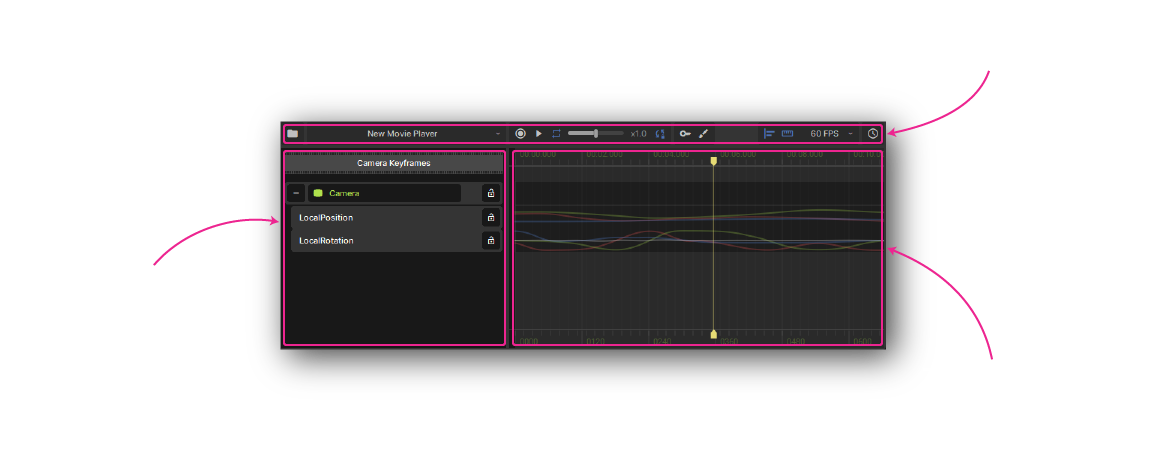
Project
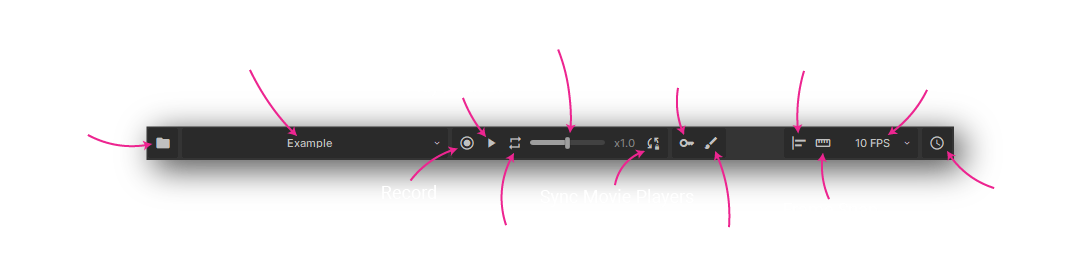
File Menu
Create, open, or import movies.
Movie Player Selection
Select or create a movie player in the current scene.
History
Toggle a panel to show modification history, so you can undo / redo changes.
Playback
Record
Toggle recording changes from the scene into the timeline.
Play / Pause
Toggle playback of your movie.
Repeat
Toggle looping for when playback reaches the end of the movie.
Playback Speed
Controls both playback and recording rate.
Sync Movie Players
Toggle synchronizing all movie players in the scene when previewing playback.
Edit Modes
Keyframe Editor
Switch to the keyframe editor mode, for simpler animations. Find out more here.
Motion Editor
Switch to the motion editor mode, for finer control than keyframe editing. Find out more here.
Snapping
Object Snap
Snap to objects in the timeline when dragging.
Frame Snap
Snap to the current frame rate when dragging.
Frame Rate
Resolution to use when frame snapping.
Project Navigation
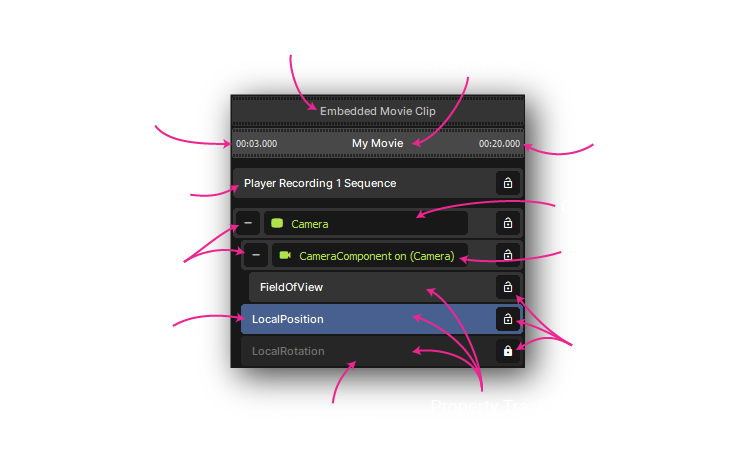
Parent Movie
Name of the outer movie, when editing a sequence.
Current Movie
Name of the currently opened movie resource.
Sequence Start / End
Block of time referenced by an outer movie, when editing a sequence.
Track Types
Game Object Track
Gets bound to an object in the scene to be controlled during playback. Contains component and property tracks.
Component Track
Gets bound to a component in the scene, defaults to a matching component of the parent game object track. Contains property tracks.
Property Track
Named property within the parent track, describes how that property should change over time. Can contain nested property tracks.
Sequence Track
Contains time blocks from another movie, making it easier to organize and edit complex projects.
Track Controls
Expand / Collapse
Show or hide nested tracks.
Lock / Unlock
Toggle lock state of a track.
Selected Track
Selecting a track will show relevant gizmos in the scene view.
Locked Track
Disables modifications of this track in the movie.
-
Shift - smoothly preview the time under the mouse
-
Scroll - vertically scroll through track list
-
Shift+Scroll or Middle-Click+Drag - pan horizontally
-
Ctrl+Scroll - zoom in / out
-
Alt+Scroll - scrub forwards / backwards by a frame
\
Regions
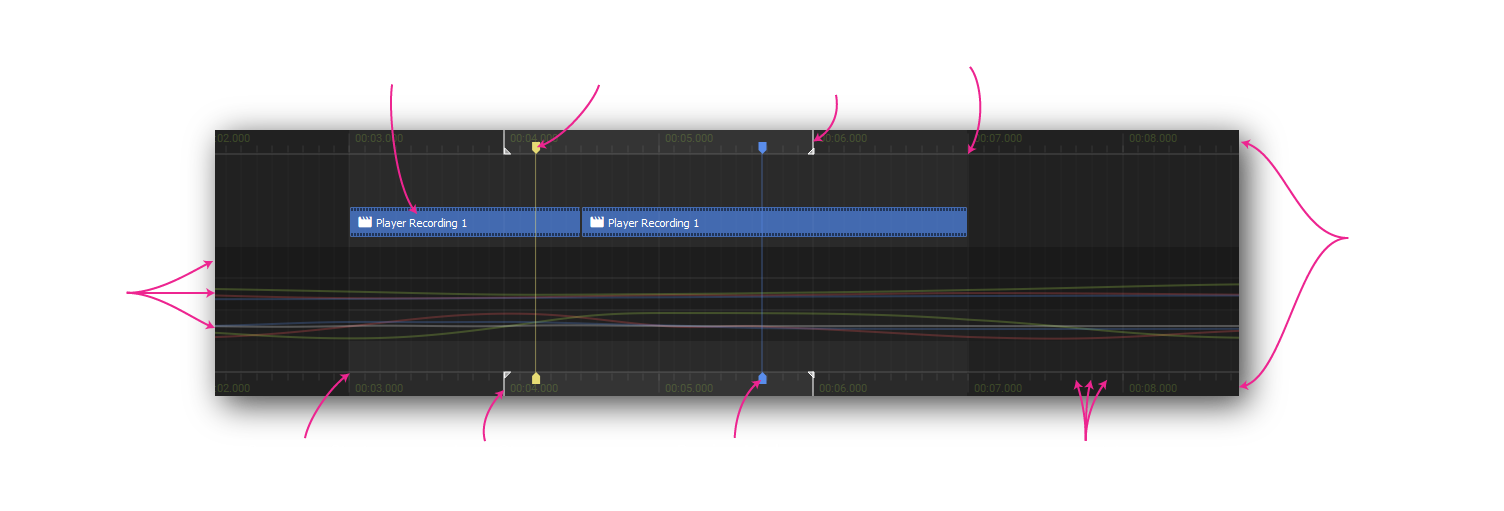
Scrub Bar
Displays time labels. Click and drag to move the playhead.
Tracks
Describe how properties change over time. Edited in either the keyframe or motion editor.
Sequence Block
References a time block from another movie, nested in this one.
Sequence Start / End
Start and end time of the currently edited sequence block, nested in another movie.
Markers
Playhead Marker
Currently selected time for editing.
Preview Marker
Current time being previewed by holding shift and mousing over the timeline.
Frame Tick
Based on the current frame rate, frame snapping will snap to these.
Loop Start / End
Time range to loop when previewing playback. Set with alt+click+drag on a scrub bar.