


Materials that write to Depth PrePass also write to a G-Buffer, if you are using the standard ShadingModel, you just have to make sure you have a Depth(); mode enabled.
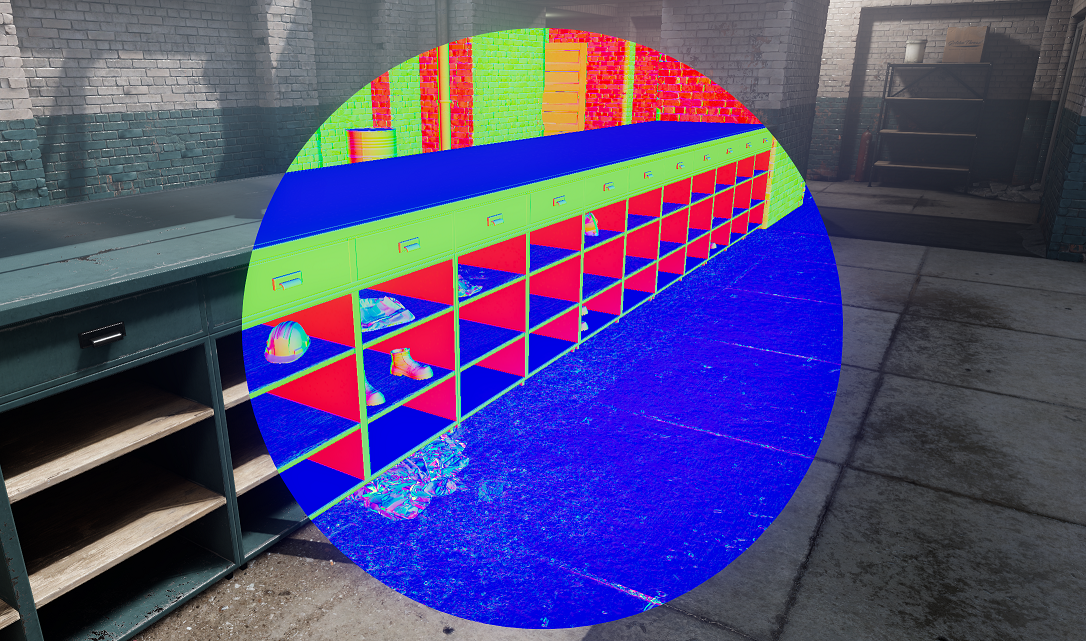
It contains minimal information about the object before we do the lighting pass, like it's Normals and Roughness, it can be used in post-processing to do all sorts of effects like accurate Ambient Occlusion and Screen-Space Reflections.
You can sample the G-Buffer in any shader with:
float3 Normals::Sample( int2 ScreenPosition )
float Roughness::Sample( int2 ScreenPosition )
If the object in that texel does not write to the G-buffer, then it reconstructs normal maps from it
Writing to G-Buffer
You can write to G-Buffer yourself, if you are writing your own custom shading model, or need to do this for any other reason. Just like it's mentioned above, make sure your shader has Depth() mode enabled.
if ( DepthNormals::WantsDepthNormals() )
    return DepthNormals::Output( Normal, Roughness, Opacity );
DepthNormals::WantsDepthNormals()will check if we're in the appropriate mode for writing to g-buffer. (depth prepass,S_MODE_DEPTH == 1)float3 Normalmust be a world-space normal vector in (-1 to 1) range- Red, green and blue channels are reserved for the normals, and alpha is for roughness/opacity. By default, g-buffer will write normals (RGB channels) and roughness (alpha)
float Roughnessandfloat Opacityare optional, if they're skipped then g-buffer will set roughness/opacity to 1
If your shader has alpha test enabled, (defined by S_ALPHA_TEST combo) then Output will write normals (RGB) and opacity (alpha) instead of roughness.