


S&box uses a scene system to create games. We feel this is the easiest system for people to pick up, while still being powerful.
The Scene System
Scenes
A Scene is your game world. Everything that renders and updates in your game at one time should be in a scene. Scenes can be saved and loaded to disk.
GameObjects
A scene contains multiple GameObjects. The GameObject is a world object which has a position, rotation and scale. They can be arranged in a hierarchy, so that children GameObjects move relative to their parents.
Components
GameObjects can contain Components. A component provides modular functionality to a GameObject. For example, a GameObject might have a ModelRender component - which would render a model. It might also have a BoxCollider component - which would make it solid.
The game developer ultimately creates games by programming new Components and configuring scenes with GameObjects and Components.
Play Testbed
Start s&box (not the editor) and find the game called testbed. This game is used by us to exhibit and test certain engine features, to make sure they work and keep working.
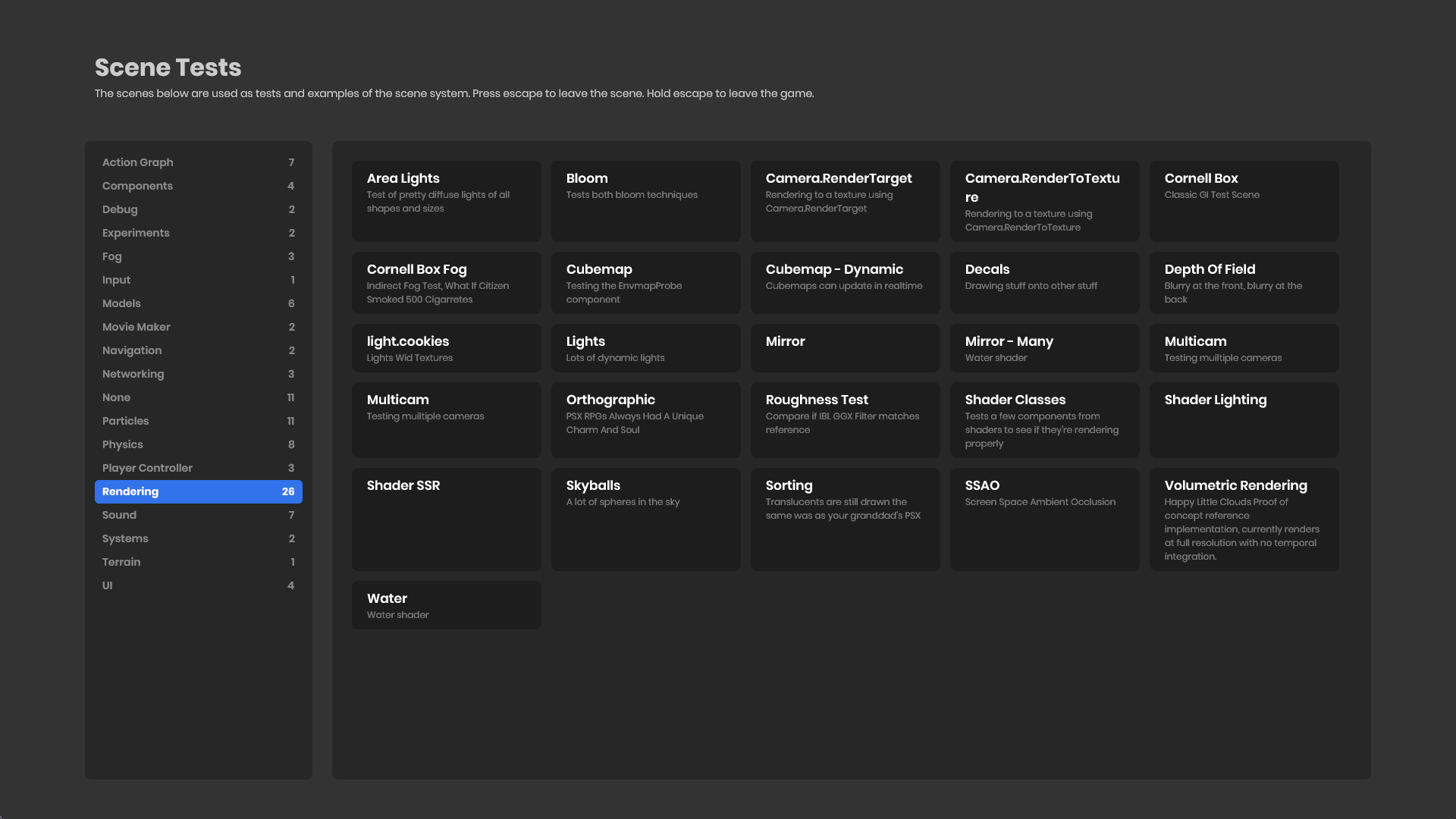
When you enter the game you'll find a menu of scenes. Each scene tests a different engine feature.
Click a scene to enter it, have a play around, press escape to return to the main menu. You can hold escape to completely leave any game.
:::success So here's what you just saw. The menu uses our UI system, which is like HTML with C# inside. It's basically Blazor, if you've ever heard of that.
When you clicked on a title, you entered a Scene. Our engine is Scene based, rather than map based like the regular Source Engine. Scenes are json files on disk, and are very fast to load and switch between - just like you experienced.
You probably saw a bunch of cool stuff. Here's something else cool: you can download the source for that game here, which includes all the scenes. Once you download it just open the .sbproj file to open it in the s&box editor, then explore the different scenes in the Asset Browser.
You can edit the scenes and play with them locally to get a feel of how things work. :::
Next Steps
Now that you understand the basics, explore these areas of the documentation:
- Scenes & GameObjects - Deep dive into the scene system
- Code - C# programming in s&box
- Editor - Learn the editor tools
- Gameplay - Input, navigation, terrain, and VR
- Networking - Multiplayer, RPCs, and dedicated servers
- Graphics - Shaders, effects, and post-processing