


Indirect Light Volumes are in Feedback Preview
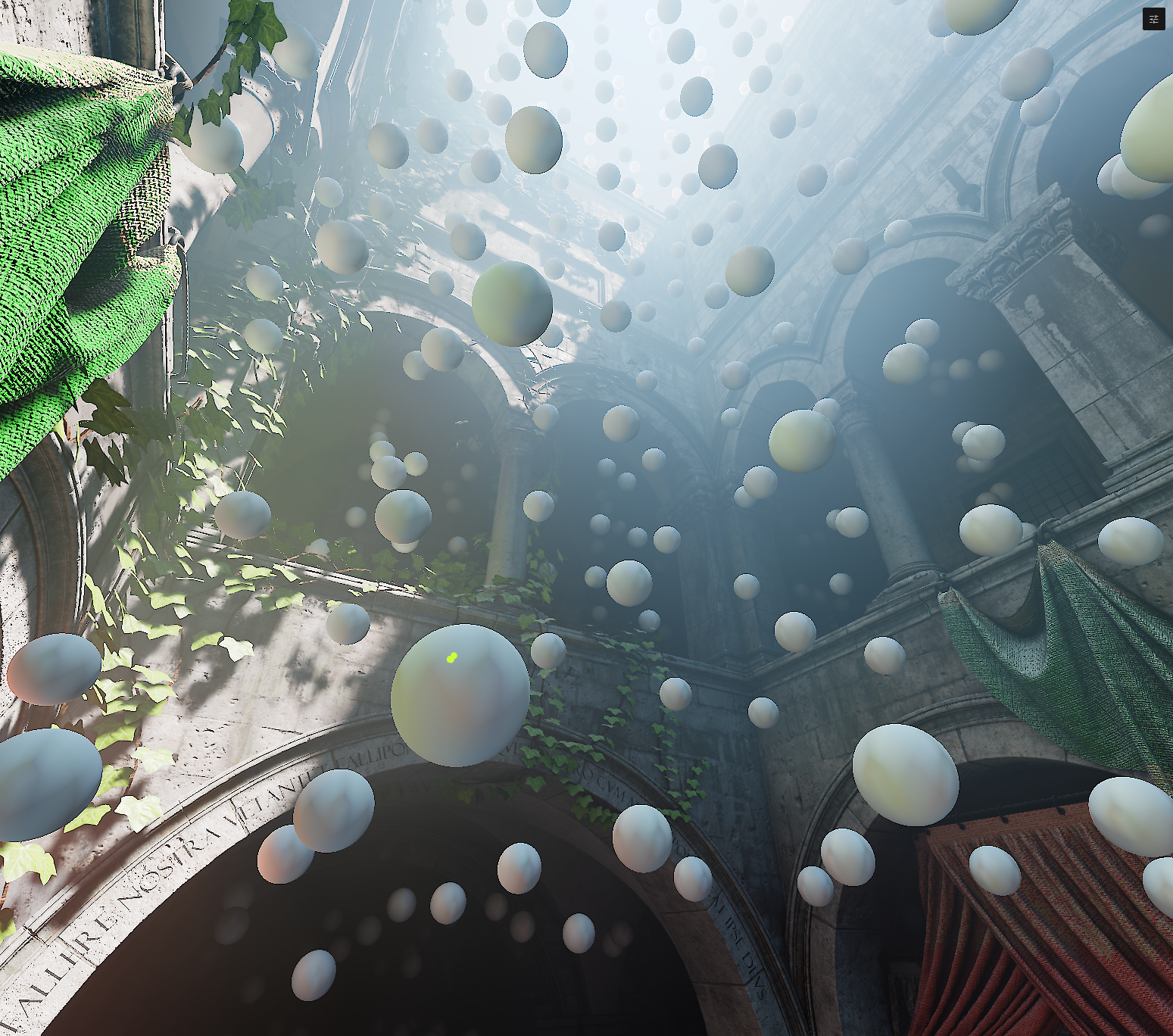
A grid of probes samples indirect light from all directions throughout the volume. When rendering, the system interpolates between nearby probes to shade each point.
Light bouncing off a red wall will tint nearby surfaces; sunlight from a window will fade naturally into a room.
Probes also store visibility, the distance to nearby surfaces, so this helps dealing with more detail and leaks even in sparse density.
-
Probe Density
How tightly packed the probes are. More probes = finer detail, but costs more. Crank it up for tight spaces, keep it low for big open areas.
Normal Bias
Pushes sample points away from surfaces. If you're getting dark speckles or self-shadowing artifacts, bump this up.
Contrast
Makes the bounces punchier. Higher values crush the darks, looks more dramatic and stylized.
Inside Geometry Behaviour
Whether to remove probes that are detected inside of backfacing geometry and not interpolating them or pushing them to a better position.
Preferred to disable them, pure relocation can cause interpolation artifacts but higher density, preference up to the artist.
- Position volumes to cover key areas without overlap.
- Bake after major scene changes.
- In open areas, use low density probes, and add a second volume for more detail in a specific region
- Ideally use thicker wall geometry, use a second volume if visibility isn't enough to cover them.
Limitations
Thin walls leak light. The probe grid can't see walls thinner than the probe spacing. Thicken your geometry, increase density or use multiple volumes.
Not Real-Time. Baking happens in the editor for now; no dynamic updates at runtime. Re-bake for scene changes.