s&box
RustCounter-Strike 2s&boxDeadlock
Wiki
Get s&box on Steam
Browse
OverviewGetting StartedCreating GamesEngine & ToolsDocumentationCommunity GamesResources
s&boxDocumentationRenderingPost ProcessingEffectsTonemapping
SOURCE 2 · C#
Build and play games with s&box.

Facepunch's game engine and creation platform — make games in C#, or jump straight into community games.

Get s&box on Steam

s&box Wiki

  • Overview
  • Getting Started
  • Creating Games
  • Engine & Tools
  • Documentation
  • Community Games
  • Resources

Tools & Community

  • Getting Started
  • Creating Games
  • Engine & Tools
  • Resources

Platforms

  • RustBattle
  • CSBattle
  • Rust Game Wiki
  • CS2 Skins Wiki
  • Deadlock Wiki

About

  • Official Site
  • Developer Wiki
  • GitHub
  • Get on Steam
NOT AFFILIATED WITH FACEPUNCH STUDIOS · © 2026 s&box Wiki (community)
Docs/Rendering
Rendering

Tonemapping

In s&box, tonemapping is a built-in post-processing effect that remaps HDR colors for display, which by default can appear dark until tuned. You can run other post-processing effects before or after tonemapping to use a full HDR buffer, or to use the resulting LDR buffer respectively.

s&box supports multiple different tonemappers, each with different ways of mapping HDR content to LDR, which affect the appearance of your scene. You can pick whichever you prefer.

How to use it

On your camera GameObject, add a Tonemapping component.

Properties

The s&box tonemapping component supports the following properties:

  • Mode: the tonemapping operator algorithm (e.g., Reinhard, ACES).
  • Auto Exposure
    • Auto Exposure Enabled: toggles automatic exposure adaptation.
    • Minimum Exposure: lower bound for exposure when auto exposure is active.
    • Maximum Exposure: upper bound for exposure when auto exposure is active.
    • Exposure Compensation: offset applied on top of the calculated exposure.
    • Rate: speed at which exposure adapts to scene brightness changes.

Modes

The s&box tonemapping component has the following modes available:

Hable Filmic Hable Filmic on Construct with default exposure settings
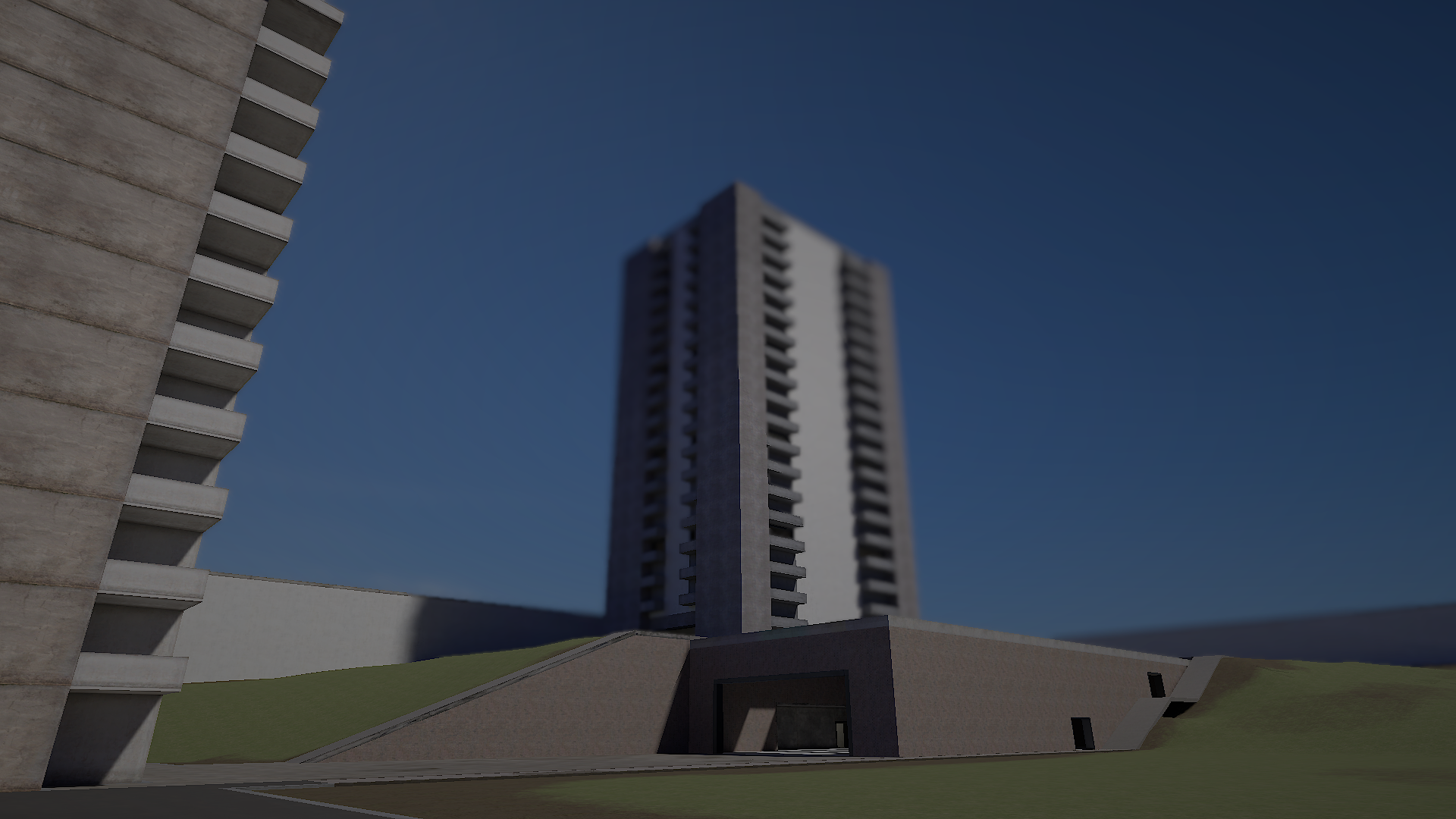
Source 2's default tonemapper. Preserves detail in dark areas well, but loses punchiness in brighter areas.

ACES ACES on Construct with default exposure settings
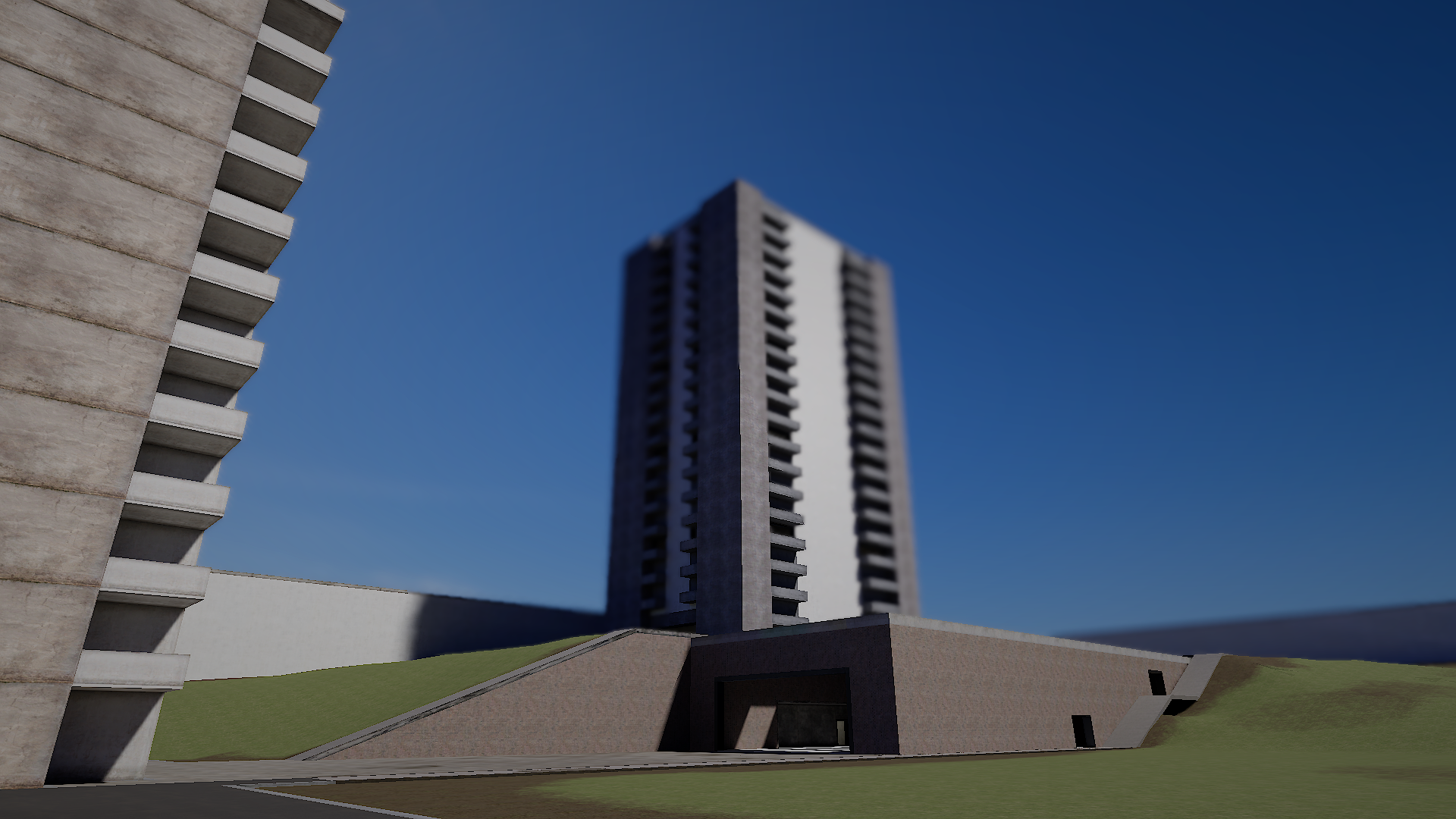
Filmic, very punchy, and has very high levels of contrast.

Reinhard-Jodie Reinhard-Jodie on Construct with default exposure settings
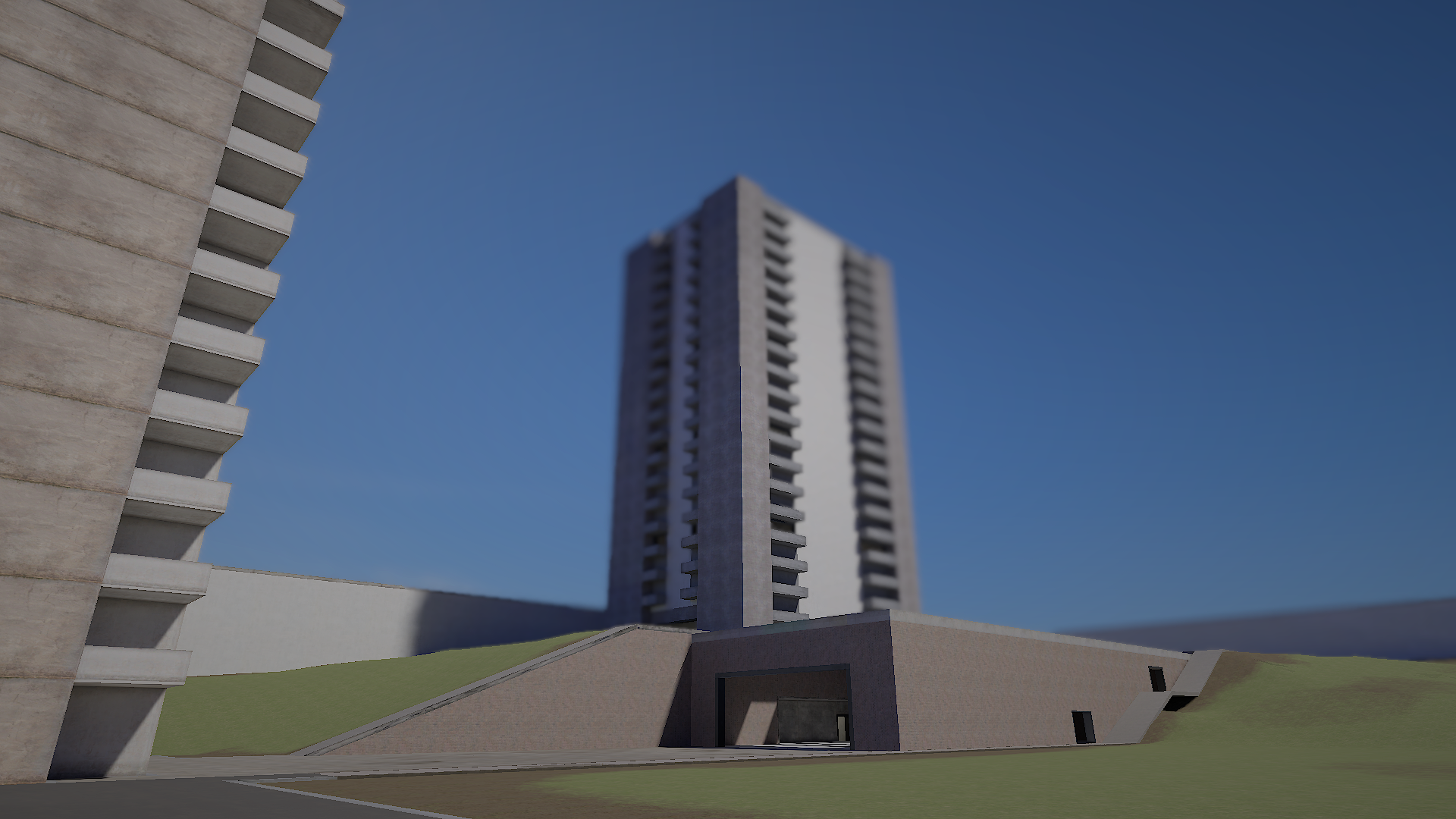
Low contrast, but good for most environments.

Linear Linear on Construct with default exposure settings
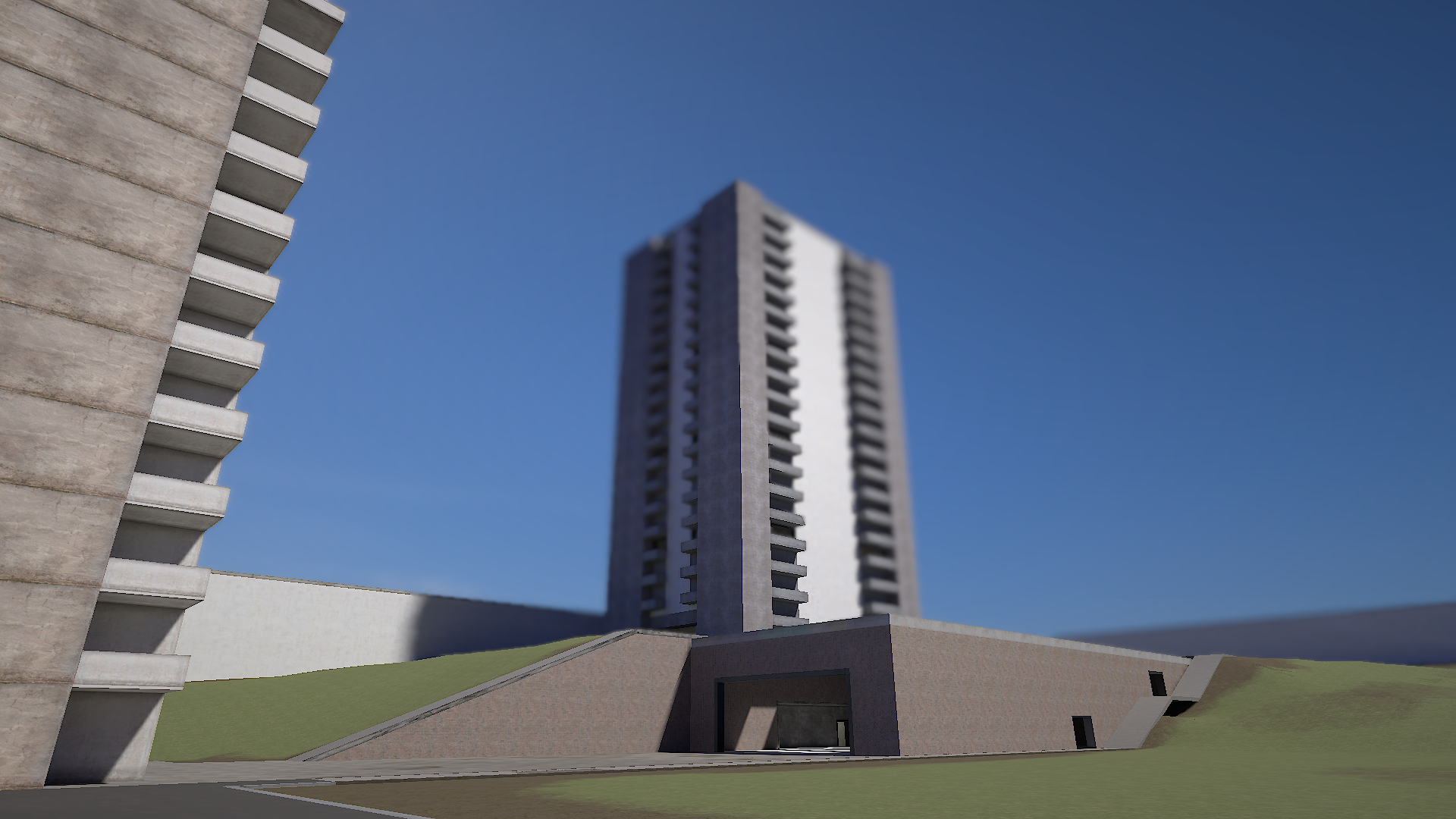
Unbiased and only applies exposure.

AgX AgX on Construct with default exposure settings
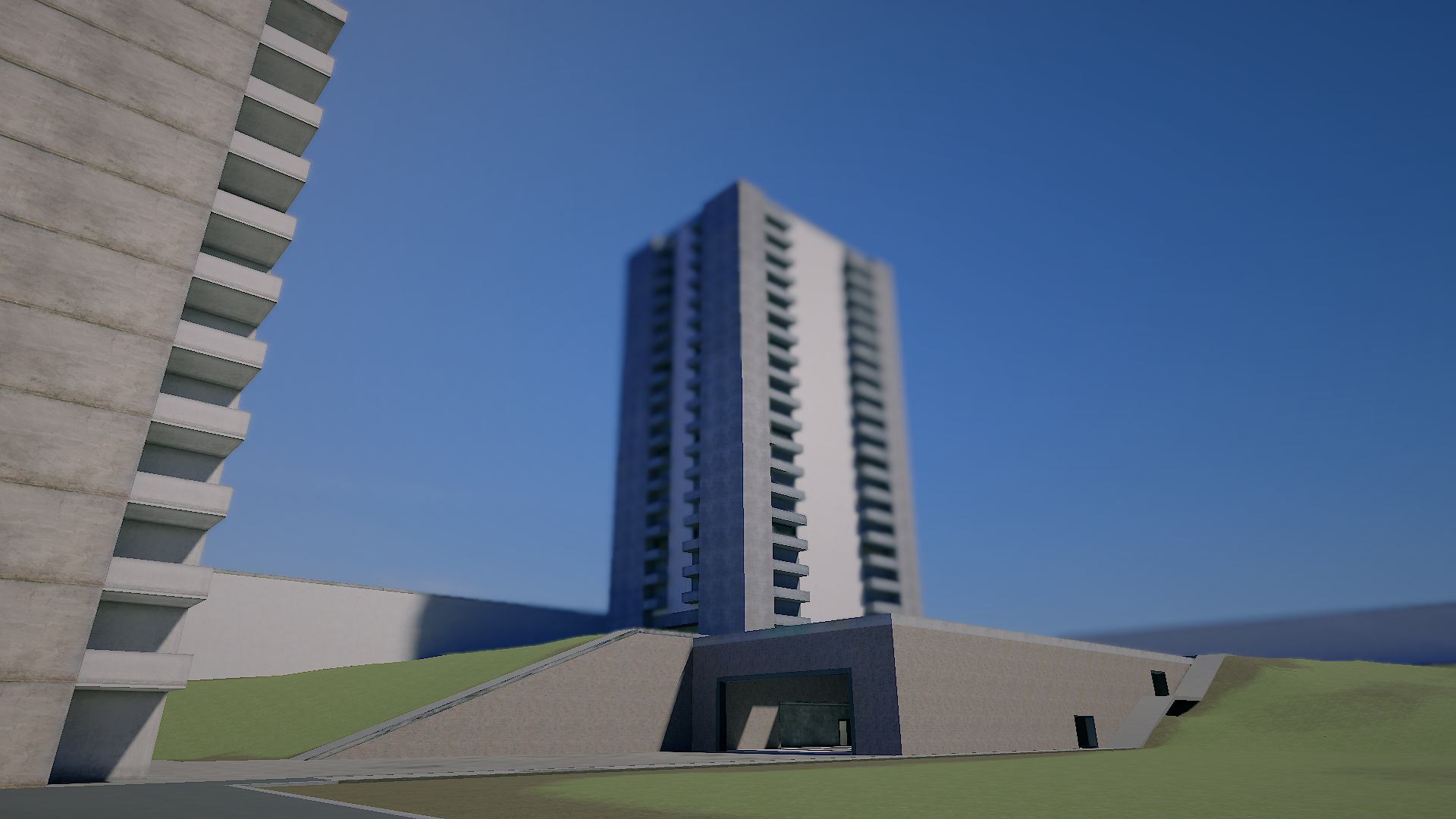
The same tonemapper used by Blender. Similar saturation and detail to ACES, but lifts darker areas slightly more. Great for outdoor areas.

Source: Facepunch/sbox-docs (CC-BY-4.0) · updated 2025-10-02. Read it rendered on the official docs.

More in Rendering

AmbientLight
Animated Effects
Attributes and Variables
BeamEffect
Beams
Bindless API
C# Shader Nodes
Classes
← All documentation

Community wiki — not affiliated with Facepunch Studios. For the latest and most authoritative information, see the official developer wiki.