s&box
RustCounter-Strike 2s&boxDeadlock
Wiki
Get s&box on Steam
Browse
OverviewGetting StartedCreating GamesEngine & ToolsDocumentationCommunity GamesResources
s&boxDocumentationRenderingPost ProcessingPostprocessvolume
SOURCE 2 · C#
Build and play games with s&box.

Facepunch's game engine and creation platform — make games in C#, or jump straight into community games.

Get s&box on Steam

s&box Wiki

  • Overview
  • Getting Started
  • Creating Games
  • Engine & Tools
  • Documentation
  • Community Games
  • Resources

Tools & Community

  • Getting Started
  • Creating Games
  • Engine & Tools
  • Resources

Platforms

  • RustBattle
  • CSBattle
  • Rust Game Wiki
  • CS2 Skins Wiki
  • Deadlock Wiki

About

  • Official Site
  • Developer Wiki
  • GitHub
  • Get on Steam
NOT AFFILIATED WITH FACEPUNCH STUDIOS · © 2026 s&box Wiki (community)
Docs/Rendering
Rendering

PostProcessVolume

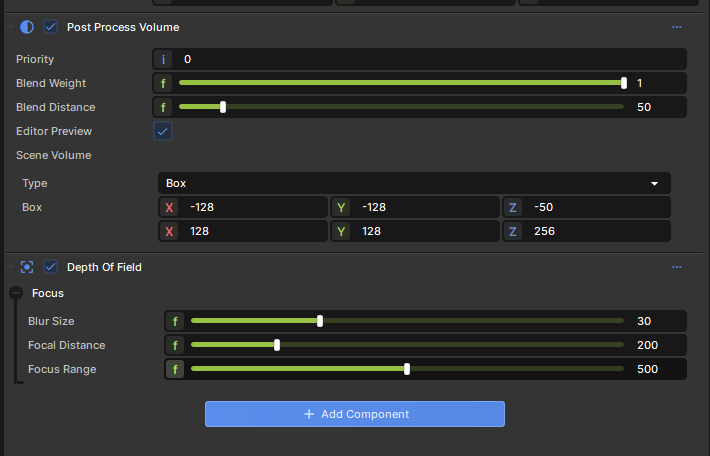
PostProcessVolume It is a component that applies a set of post-processing components when a camera is inside it.

The effect components can be on the same GameObject as the PostProcessVolume component, or on a child GameObject.
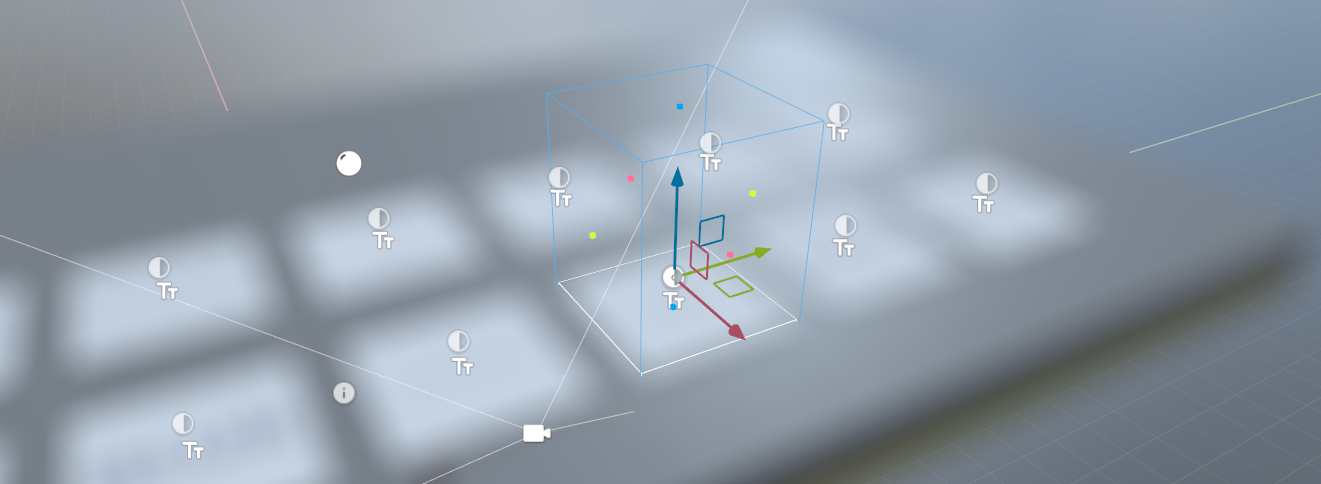
The volume can be a box, sphere or infinite.

The infinite mode is useful for adding effects that you only want to apply sometimes. For example, you might want to fade up FilmGrain when a player is dying of radiation poisoning. You can have this effect in a GameObject with an infinite PostProcessVolume somewhere, and enable and slide up the BlendWeight depending on how much of the effect you want to apply.

Blending is done according to how far in the volume you are using the BlendDistance property.

When the volume is selected the editor will show a preview of that effect. If you don't want this to keep happening you can disable Editor Preview on the component.

Source: Facepunch/sbox-docs (CC-BY-4.0) · updated 2025-10-02. Read it rendered on the official docs.

More in Rendering

AmbientLight
Animated Effects
Attributes and Variables
BeamEffect
Beams
Bindless API
C# Shader Nodes
Classes
← All documentation

Community wiki — not affiliated with Facepunch Studios. For the latest and most authoritative information, see the official developer wiki.