s&box
RustCounter-Strike 2s&boxDeadlock
Wiki
Get s&box on Steam
Browse
OverviewGetting StartedCreating GamesEngine & ToolsDocumentationCommunity GamesResources
s&boxDocumentationGameplayInput
SOURCE 2 · C#
Build and play games with s&box.

Facepunch's game engine and creation platform — make games in C#, or jump straight into community games.

Get s&box on Steam

s&box Wiki

  • Overview
  • Getting Started
  • Creating Games
  • Engine & Tools
  • Documentation
  • Community Games
  • Resources

Tools & Community

  • Getting Started
  • Creating Games
  • Engine & Tools
  • Resources

Platforms

  • RustBattle
  • CSBattle
  • Rust Game Wiki
  • CS2 Skins Wiki
  • Deadlock Wiki

About

  • Official Site
  • Developer Wiki
  • GitHub
  • Get on Steam
NOT AFFILIATED WITH FACEPUNCH STUDIOS · © 2026 s&box Wiki (community)
Docs/Gameplay
Gameplay

Input

Input is accessed using the… Input class!

public sealed class MyPlayerComponent : Component
{
	protected override void OnUpdate()
	{
		if ( Input.Down( "jump" ) )
		{
			WorldPosition += Vector3.Forward * Time.Delta;
		}
	}
}

Here you can see that when jump is pressed down, the GameObject will move forward. We multiply forward by the time delta to make it frame rate independent.

There are a few different ways to query buttons..

Input.Down( "jump" ) // key is held down (button name is case insensitive)
Input.Pressed( "jump" ) // key was just pressed this frame
Input.Released( "jump" ) // key was just released this frame

Input.AnalogMove // joystick "move" input Vector3 (or wsad)
Input.AnalogLook // joystick "look" input Angles (or mouse look)

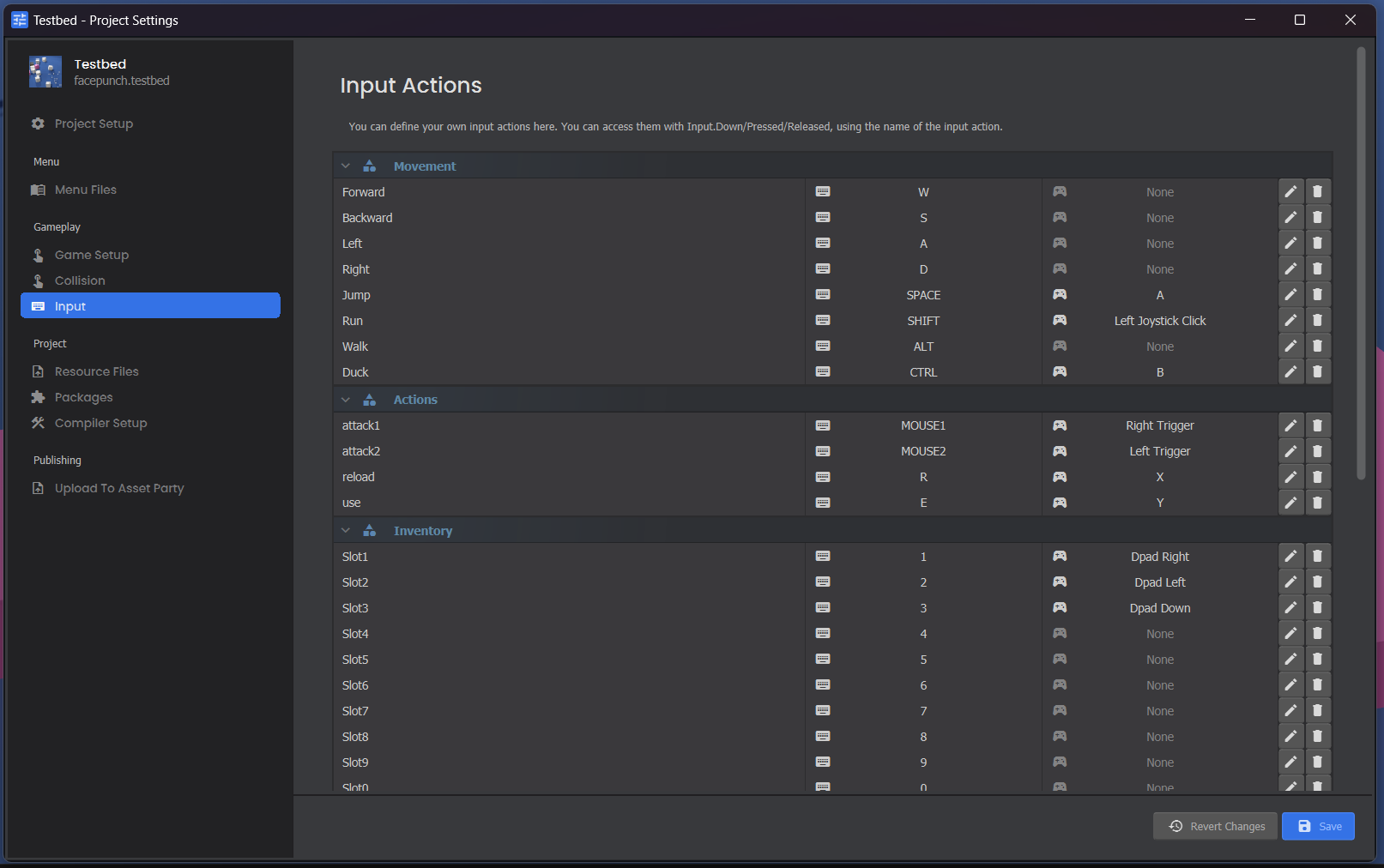
You can customize the keys for your game in the Project Settings.
Escape Key

By default, s&box will show the pause menu when a player presses the ESC key in-game. You can override this functionality:

// In Update() on one of your components
if ( Input.EscapePressed )
{
	Input.EscapePressed = false;
	// handle escape pressed in your game
}

If you override the escape button it'll be up to you to let the user access settings etc in your own menu system.

Source: Facepunch/sbox-docs (CC-BY-4.0) · updated 2025-06-15. Read it rendered on the official docs.

More in Gameplay

Clutter
Controller Input
Costs & Filters
Creating Terrain
Gameplay
Glyphs
Inventory
Inventory & Weapons
← All documentation

Community wiki — not affiliated with Facepunch Studios. For the latest and most authoritative information, see the official developer wiki.