s&box
RustCounter-Strike 2s&boxDeadlock
Wiki
Get s&box on Steam
Browse
OverviewGetting StartedCreating GamesEngine & ToolsDocumentationCommunity GamesResources
s&boxDocumentationGameplayNavigationNavmesh AreasCosts Filters
SOURCE 2 · C#
Build and play games with s&box.

Facepunch's game engine and creation platform — make games in C#, or jump straight into community games.

Get s&box on Steam

s&box Wiki

  • Overview
  • Getting Started
  • Creating Games
  • Engine & Tools
  • Documentation
  • Community Games
  • Resources

Tools & Community

  • Getting Started
  • Creating Games
  • Engine & Tools
  • Resources

Platforms

  • RustBattle
  • CSBattle
  • Rust Game Wiki
  • CS2 Skins Wiki
  • Deadlock Wiki

About

  • Official Site
  • Developer Wiki
  • GitHub
  • Get on Steam
NOT AFFILIATED WITH FACEPUNCH STUDIOS · © 2026 s&box Wiki (community)
Docs/Gameplay
Gameplay

Costs & Filters

Areas can be used:

  • to mark a section as more costly to traverse than others (e.g. shallow water)
  • to prevent certain agents from entering a specific area

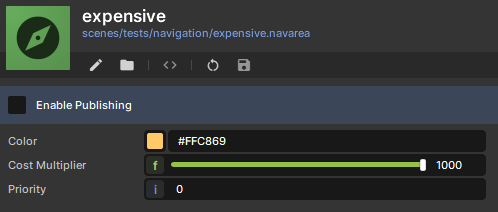
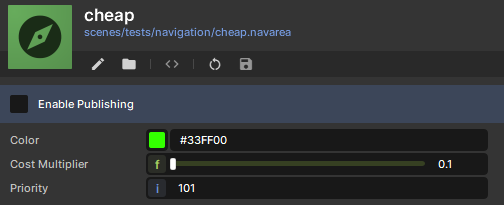
Nav Area impacting agent Pathing behavior

Agent preferring the cheap area (green) over the expensive area (orange).
By default an agent can traverse any area.

But, you can also specify which areas an agent is allowed to traverse and which not.

Maze made of Forbidden areas, one agent can take shortcuts in the maze.
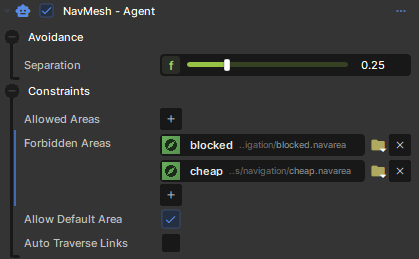
Regular Agent
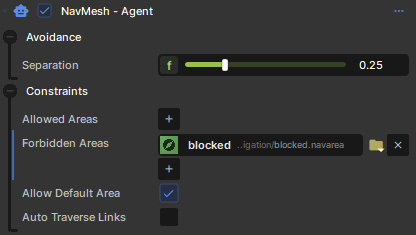
Regular Agent

Shortcutter Agent

Shortcutter Agent

Source: Facepunch/sbox-docs (CC-BY-4.0) · updated 2025-10-23. Read it rendered on the official docs.

More in Gameplay

Clutter
Controller Input
Creating Terrain
Gameplay
Glyphs
Input
Inventory
Inventory & Weapons
← All documentation

Community wiki — not affiliated with Facepunch Studios. For the latest and most authoritative information, see the official developer wiki.