s&box
RustCounter-Strike 2s&boxDeadlock
Wiki
Get s&box on Steam
Browse
OverviewGetting StartedCreating GamesEngine & ToolsDocumentationCommunity GamesResources
s&boxDocumentationGameplayNavigationNavmesh Areas
SOURCE 2 · C#
Build and play games with s&box.

Facepunch's game engine and creation platform — make games in C#, or jump straight into community games.

Get s&box on Steam

s&box Wiki

  • Overview
  • Getting Started
  • Creating Games
  • Engine & Tools
  • Documentation
  • Community Games
  • Resources

Tools & Community

  • Getting Started
  • Creating Games
  • Engine & Tools
  • Resources

Platforms

  • RustBattle
  • CSBattle
  • Rust Game Wiki
  • CS2 Skins Wiki
  • Deadlock Wiki

About

  • Official Site
  • Developer Wiki
  • GitHub
  • Get on Steam
NOT AFFILIATED WITH FACEPUNCH STUDIOS · © 2026 s&box Wiki (community)
Docs/Gameplay
Gameplay

NavMesh Areas

NavMesh Areas can affect NavMesh generation and agent behavior/pathing. The NavMeshArea component is used to define the location, shape and type of an area.
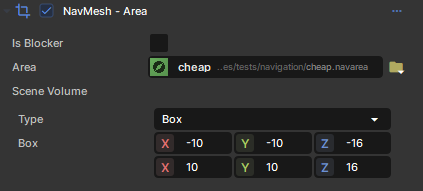
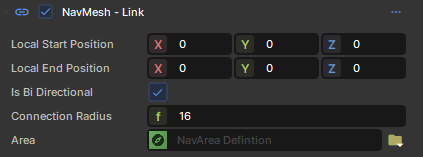
You can also specify the Area for a link component.
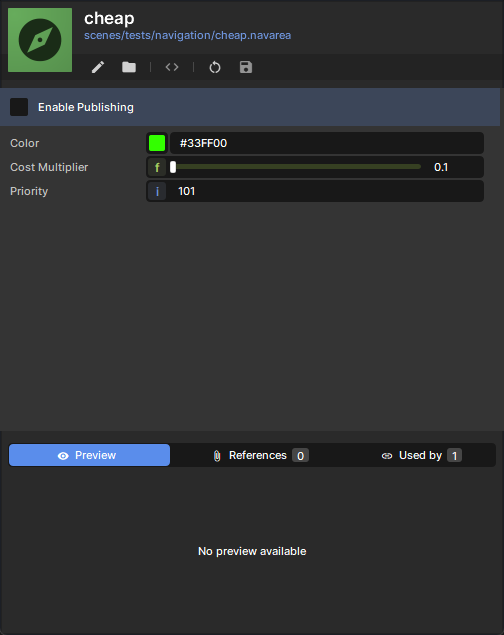
The NavMeshAreaDefinition resource is used to define properties of the Area.

  • Currently there is a limit of 24 NavMeshAreaDefinition, but you can assign them to as many Area Components as you like
  • Static areas are basically free.
  • Moving areas are a bit more expensive, but you should be able to have at least a couple of dozens of them.

Source: Facepunch/sbox-docs (CC-BY-4.0) · updated 2025-10-29. Read it rendered on the official docs.

More in Gameplay

Clutter
Controller Input
Costs & Filters
Creating Terrain
Gameplay
Glyphs
Input
Inventory
← All documentation

Community wiki — not affiliated with Facepunch Studios. For the latest and most authoritative information, see the official developer wiki.