


When creating your own Classes/Structs/Assets/etc, you'll sometimes want custom editors that pair with them. For example, a Gradient Editor so you can visually see what the Gradient looks like instead of editing the Gradient as if it were a Struct with a list of Colours.
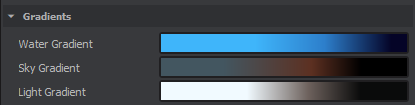
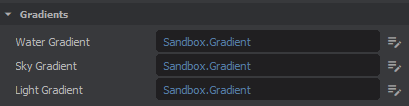
The above are examples of ControlWidgets. The Inspector will try to find the appropriate one for each type, falling back on a Class/Struct editor (or none if it's not applicable). We can define our own with [CustomEditor]
public class MyClass
{
    public Color Color { get; set; }
    public string Name { get; set; }
}

[CustomEditor(typeof(MyClass))]
public class MyCustomControlWidget : ControlObjectWidget
{
    // Whether or not this control supports multi-editing (if you have multiple GameObjects selected)
    public override bool SupportsMultiEdit => false;

    public MyCustomControlWidget(SerializedProperty property) : base( property, true )
    {
        Layout = Layout.Row();
        Layout.Spacing = 2;

        // Get the Color and Name properties from the serialized object
        SerializedObject.TryGetProperty(nameof(MyClass.Color), out var color);
        SerializedObject.TryGetProperty(nameof(MyClass.Name), out var name);

        // Add some Controls to the Layout, both referencing their serialized properties
        Layout.Add( Create(color) );
        Layout.Add( Create(name) );
    }

    protected override void OnPaint()
    {
        // Overriding and doing nothing here will prevent the default background from being painted
    }
}

You can also check for certain attributes, so you can have a custom Password string editor that only appears when you've added the [Password] attribute
[CustomEditor(typeof(string), WithAllAttributes = new[] { typeof(PasswordAttribute) })]
While creating Custom ControlWidgets is very powerful, sometimes you might want to replace the entire Inspector. This is especially useful for Editor Tools or Assets, and is done with the [Inspector] attribute.
using static Editor.Inspectors.AssetInspector;

// [CanEdit] is used for editing Assets with a certain file extension, if the thing you wish to
// inspect is NOT an Asset, you can use [Inspector(typeof(MyClass))]
[CanEdit("asset:char")]
public class CharacterInspector : Widget, IAssetInspector
{
    CharacterResource Character;
    ControlSheet MainSheet;

    // If this isn't an Asset Inspector, use CharacterInspector(SerializedObject so) : base(so)
    public CharacterInspector( Widget parent ) : base( parent )
    {
        Layout = Layout.Column();
        Layout.Margin = 4;
        Layout.Spacing = 4;

        // Create a header
        var header = Layout.Add( new Label( "My Inspector!", this ) );
        header.SetStyles( "font-size: 42px; font-weight: 600; font-family: Poppins" );

        // Create a ControlSheet that will display all our Properties
		MainSheet = new ControlSheet();
		Layout.Add( MainSheet );

        // Add a randomize button below the ControlSheet
        var button = Layout.Add( new Button( "Randomize", "casino", this ) );
        button.Clicked += () =>
        {
        	foreach ( var prop in Character.GetSerialized() )
        	{
        		// Randomize all the float values from 0-100
        		if ( prop.PropertyType != typeof( float ) ) continue;
        		prop.SetValue( Random.Shared.Float( 0, 100 ) );
        	}
        };

        // Fill the remaining space and align everything else to the top
        Layout.AddStretchCell();

        // Populate the ControlSheet
        RebuildSheet();
    }

    // Rebuild the ControlSheet every hotload, so we catch any changes to the Asset
    [EditorEvent.Hotload]
    void RebuildSheet()
    {
        if ( Character is null ) return;
        if ( MainSheet is null ) return;
        MainSheet.Clear( true );

        // Populate the ControlSheet using only `float` Properties
        var so = Character.GetSerialized();
        so.OnPropertyChanged += x =>
        {
          Character.StateHasChanged(); // Mark as dirty so we can save
        };
        MainSheet.AddObject( so, x => x.PropertyType == typeof( float ) );
    }


    // Only needed if Asset Inspector, and you are implementing IAssetInspector
    public void SetAssetPreview( AssetPreview preview )
    {
        // You can store the AssetPreview if you wish to interact with it later
        // Useful for an animation list that will update the Preview
    }

    // Only needed if Asset Inspector, and you are implementing IAssetInspector
    public void SetAsset( Asset asset )
    {
        Character = asset.LoadResource<CharacterResource>();
        RebuildSheet();
    }
}
Now we have a Custom Inspector whenever we select our Character Asset 670x382