


When creating a Tool or Editor Project, it's common to want to be able to trigger certain actions with a key press or combined keystroke (Like O to enter Object Mode, or SHIFT+B to enter the Block Tool).
Editor Shortcuts do exactly that, while also giving the user the option to rebind each shortcut themselves.
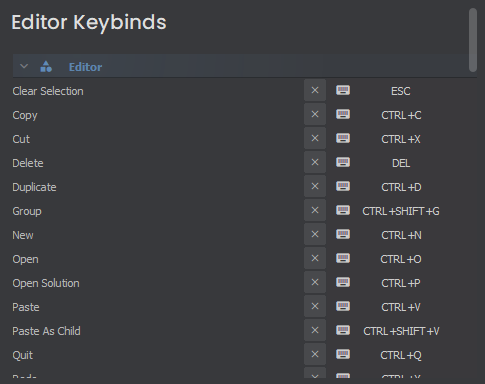
Shortcuts are created by adding the [Shortcut] attribute to a function, giving a name and default bind. The function can reside within any class (including static classes).
[Shortcut("scene.toggle-gizmos", "SHIFT+G")]
static void ToggleGizmos()
{
    // Do stuff...
}
Now whenever you press SHIFT+G in the editor, this static function will be run if the primary Editor window is in focus.
Widget Shortcuts are created just the same, but there's some optional parameters to play with.
[Shortcut("mesh.merge", "M", typeof(SceneViewportWidget), ShortcutType.Widget)]
private void Merge()
{
    // Do stuff...
}
The last 2 arguments are optional.
The first is which type of Widget you need to have in focus to do the shortcut (if none/null, assumes the class the function is defined in is the Widget type)
The second is the ShortcutType, which is either the Widget itself needs to be in focus, a Window containing it needs to be in focus, or the Application as a whole needs to be in focus.
So in this example, Merge() will only be called when pressing M while a SceneViewportWidget is in focus.