s&box
RustCounter-Strike 2s&boxDeadlock
Wiki
Get s&box on Steam
Browse
OverviewGetting StartedCreating GamesEngine & ToolsDocumentationCommunity GamesResources
s&boxDocumentationEditorEditor ToolsComponent Editor Tools
SOURCE 2 · C#
Build and play games with s&box.

Facepunch's game engine and creation platform — make games in C#, or jump straight into community games.

Get s&box on Steam

s&box Wiki

  • Overview
  • Getting Started
  • Creating Games
  • Engine & Tools
  • Documentation
  • Community Games
  • Resources

Tools & Community

  • Getting Started
  • Creating Games
  • Engine & Tools
  • Resources

Platforms

  • RustBattle
  • CSBattle
  • Rust Game Wiki
  • CS2 Skins Wiki
  • Deadlock Wiki

About

  • Official Site
  • Developer Wiki
  • GitHub
  • Get on Steam
NOT AFFILIATED WITH FACEPUNCH STUDIOS · © 2026 s&box Wiki (community)
Docs/Editor
Editor

Component Editor Tools

Component Editor Tools work a lot like regular Editor Tools, but they're always active when a specific Component is selected. These tools generally create UI in the scene view, but they can also override input too.
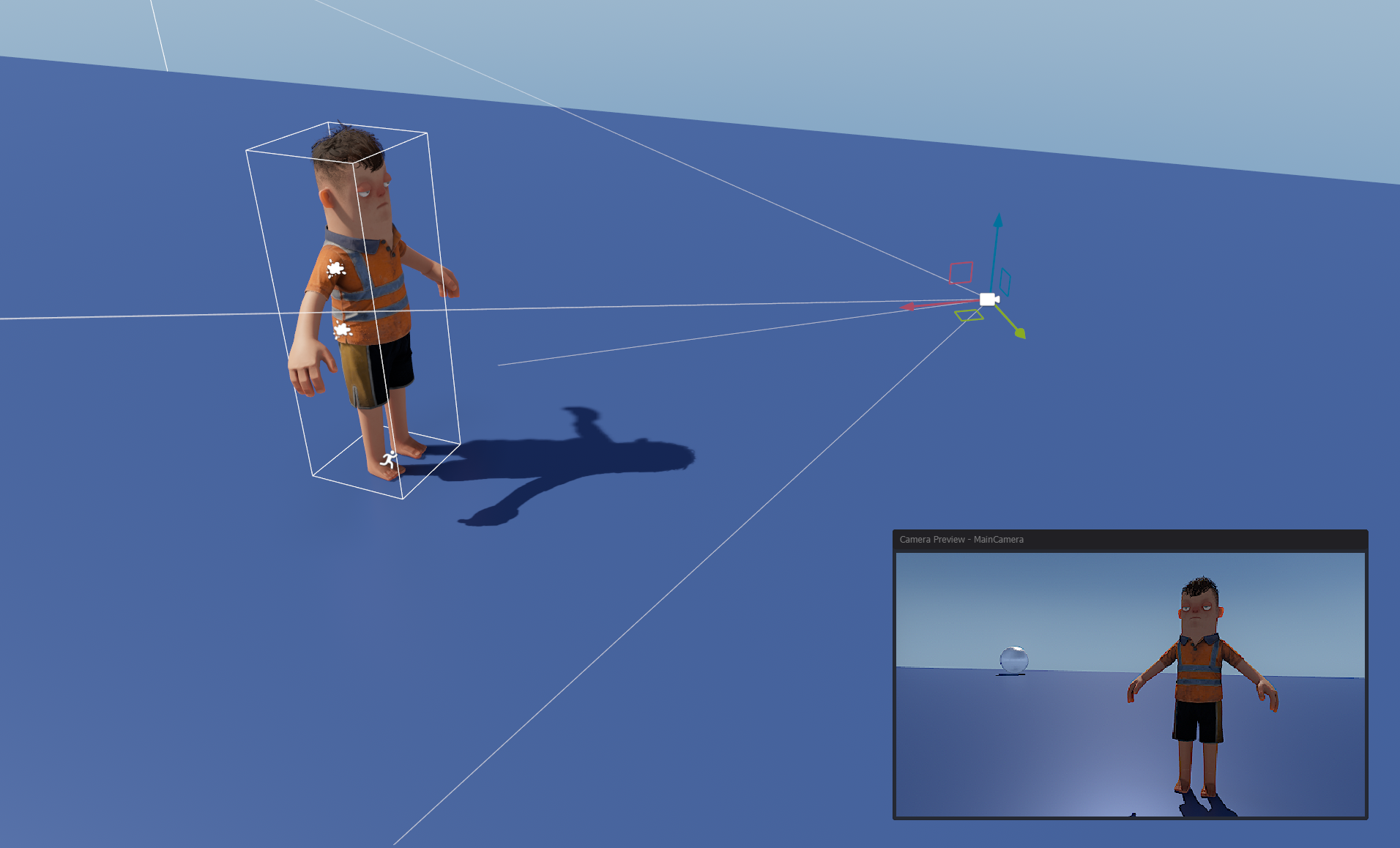
The camera preview is created using a Component EditorTool

An example of a component tool is the camera preview - which is shown when a GameObject with a CameraComponent is selected.

To define an EditorTool for your Component, you create a class like this.

public class MyEditorTool : EditorTool<MyComponent>
{

	public override void OnEnabled()
	{

	}

	public override void OnUpdate()
	{

	}

	public override void OnDisabled()
	{

	}

	public override void OnSelectionChanged()
	{
		var target = GetSelectedComponent<MyComponent>();
	}
}

The method OnSelectionChanged is called after the tool is created and registered. It can also be called later if the selection is changed to another component.

The tool is automatically deleted/destroyed when the selection no longer contains the specific component type.

Source: Facepunch/sbox-docs (CC-BY-4.0) · updated 2023-12-29. Read it rendered on the official docs.

More in Editor

Asset Previews
Custom Editors
Editor
Editor Apps
Editor Events
Editor Project
Editor Shortcuts
Editor Tools
← All documentation

Community wiki — not affiliated with Facepunch Studios. For the latest and most authoritative information, see the official developer wiki.